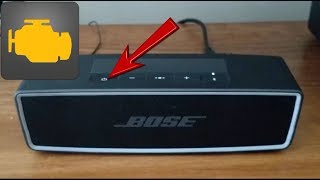
Bose SoundLink Mini Shows Orange Power Light: What It Means and How to Fix It
The Bose SoundLink Mini is a compact Bluetooth speaker praised for its clear sound and portable design. Like many battery‑powered devices, it uses a small LED on the power button to communicate its charging and power status. When users notice an orange light instead of the usual white or red, questions often arise about whether the speaker is functioning correctly. This article explains the meaning of the orange indicator, common reasons it appears, and practical steps to resolve any underlying issues.
Understanding the Power‑LED Colors
Bose documents the LED behavior for the SoundLink Mini series as follows:
- White (solid) – Speaker is powered on and operating normally.
- Red (solid) – Battery is low; the speaker needs charging soon.
- Orange (solid) – Speaker is connected to a power source and the battery is charging.
- Orange (blinking) – A charging fault has been detected; the speaker may not be receiving power correctly.
- No light – Speaker is off or the battery is completely depleted.
Therefore, a steady orange light while the speaker is plugged into the USB charging cable is expected behavior. It simply tells you that the internal battery is replenishing. If the orange light persists after you have unplugged the charger, or if it blinks while the charger is attached, further investigation is warranted.
Common Scenarios That Trigger an Orange Light
Several everyday situations can cause the orange LED to appear:
- Normal charging cycle – When you connect the speaker to a wall adapter, car charger, or computer USB port, the LED turns orange to indicate charging.
- Battery deeply discharged – If the speaker has been unused for an extended period, the battery may drop below a voltage threshold. Upon reconnection, the LED may show orange for a longer period as the battery management system brings the charge back up to a usable level.
- Insufficient power source – Using a low‑output