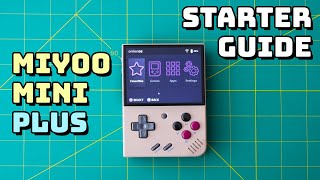
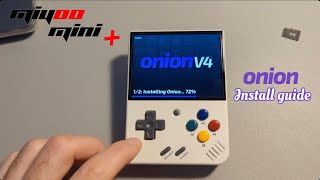
How To Install Onion OS On Miyoo Mini Plus
If you own a Miyoo Mini Plus handheld and want to unlock its full retro‑gaming potential, installing Onion OS is a popular upgrade. This detailed guide walks you through every step, from gathering the right tools to getting the first game running. For visual learners, an UPDATED VIDEO HERE: https://youtu.be/ztGRrzajZ9o demonstrates the process in real time.
What Is Onion OS?
Onion OS is a lightweight, Linux‑based operating system built specifically for Miyoo devices. It replaces the stock firmware with a fast, customizable interface that supports thousands of emulators, game libraries, and community‑made enhancements. Because it runs on the same hardware, you keep the original battery life while gaining more features.
What You’ll Need
- Miyoo Mini Plus (firmware should be up to date)
- MicroSD card – 16 GB or larger, Class 10 is recommended for smooth performance
- Card reader for your PC or laptop
- USB‑C cable (optional, for direct transfer)
- Patience and a stable internet connection
Grab a cheap but reliable microSD card if you don’t already have one. A solid choice can be found on Amazon: https://amzn.to/3XGxgOd.
Step 1: Back Up Your Existing Data
- Power off the Miyoo Mini Plus completely.
- Insert the microSD card into the slot.
- Connect the card to your computer via the card reader.
- Copy the entire games folder and any saved configurations to a safe location on your PC.
Backing up ensures you can restore your original setup if anything goes wrong.
Step 2: Download the Onion OS Package
Visit the official Onion OS GitHub page (search “Onion OS Miyoo Mini Plus”) and download the latest release zip file. The file