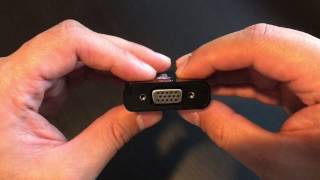
Mini DisplayPort to VGA: Connecting Legacy Displays to Modern Devices
When you need to attach an older VGA monitor or projector to a laptop, tablet, or mini‑PC that only offers a Mini DisplayPort (Mini DP) output, a Mini DisplayPort DP to VGA adapter becomes the essential bridge. This article explains how the conversion works, what to look for when choosing an adapter, and how to set up a reliable connection.
Understanding Mini DisplayPort and VGA
Mini DisplayPort is a compact digital video interface developed by Apple and later adopted by many PC manufacturers. It carries a pure digital signal that can support high resolutions, multiple audio channels, and advanced features such as Display Stream Compression.
VGA (Video Graphics Array), on the other hand, is an analog standard that has been around since the late 1980s. VGA transmits video as analog voltage levels, which means a digital‑to‑analog conversion is required for any Mini DP to VGA link.
Why a Converter Is Needed
Because Mini DisplayPort outputs only digital data, a simple cable cannot carry that signal to a VGA‑only display. The adapter must contain an active converter chip that translates the digital video stream into an analog format that the VGA monitor can interpret. Without this conversion, the screen will remain blank or display distorted images.
Key Features to Consider
- Active Conversion Chip – Look for adapters that explicitly state they use an active chip. Passive cables will not work with Mini DP to VGA.
- Supported Resolutions – Most quality adapters handle up to 1920 × 1080 (1080p) at 60 Hz. Some also support 2048 × 1152 or 2560 × 1440, but verify the specifications if you need higher resolutions.
- Build Quality – A sturdy metal housing and a reinforced cable strain relief reduce the risk of breakage, especially when the adapter is frequently plugged and unplugged.
- Plug‑and‑Play Compatibility – The adapter should work with Windows, macOS, and Linux without requiring additional drivers. Most modern operating systems recognize the conversion automatically.
- Power Requirements – Mini DisplayPort can supply enough power for the conversion, but some high‑resolution adapters include a USB power input for extra stability.
How to Install a Mini DisplayPort DP to VGA Adapter
- Turn off the source device (laptop, tablet, etc.) and the VGA display.
- Insert the Mini DisplayPort connector into the Mini DP socket on your device. The shape is keyed, so it will only fit one way.
- Connect the VGA plug of the adapter to the VGA port on the monitor or projector. Secure the screw‑in fasteners if present.
- Power on the VGA display first, then the source device.
- On Windows, right‑click the desktop, choose Display settings, and select the appropriate resolution. On macOS, open System Settings → Displays to adjust scaling.
- If the image appears fuzzy, use the monitor’s built‑in focus controls or adjust the resolution to a native setting for the display.
Troubleshooting Common Issues
- No Signal Detected – Verify that the adapter is firmly seated in both the Mini DP and VGA ports. Ensure the monitor is set to the correct input source.
- Distorted or Flickering Image – This often indicates a weak signal. Try using a shorter, high‑quality VGA cable, or switch to an adapter with a USB power input.
- Audio Not Playing – Mini DisplayPort can carry audio, but VGA carries video only. If you need sound, connect external speakers or use a separate audio cable from the device’s headphone jack.
- Resolution Limits – Some adapters cap at 1080p. If you require a higher resolution, look for a model that advertises support for 1440p or higher.
Buying Guide: Selecting the Right Mini DisplayPort DP to VGA Adapter
When shopping, compare the following aspects to find the best fit for your workflow:
- Compatibility List – Reputable manufacturers provide a list of tested devices. Check that your laptop’s Mini DP version (1.2, 1.3, or 1.4) is supported.
- Warranty and Support – A one‑year warranty indicates confidence in the product’s durability. Look for manufacturers that offer clear return policies.
- Customer Reviews – Real‑world feedback can reveal issues such as intermittent signal loss or poor build quality that specifications alone do not show.
- Price vs. Features – Extremely cheap adapters may omit an active chip, leading to failure. Investing a modest amount in a reputable brand usually yields a more reliable





![[Review] Cheap Mini DisplayPort to VGA Adapter](https://i.ytimg.com/vi/qRacR2UjbS0/mqdefault.jpg)