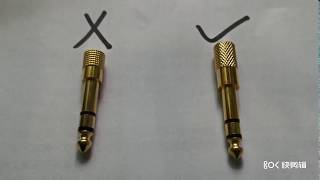
Mini Jack To Jack Converter: What It Is and Why You Need One
A mini jack to jack converter is a small, inexpensive adapter that bridges the gap between a 3.5 mm (often called “mini”) audio plug and a larger 6.35 mm (1/4‑inch) jack. Whether you are connecting headphones, a microphone, or an auxiliary cable, the converter lets you match devices that would otherwise be incompatible. The result is a seamless audio link that preserves signal integrity without the need for complex wiring or soldering.
Understanding the Mini Jack Format
The 3.5 mm mini jack is the most common connector for portable audio devices such as smartphones, tablets, and laptops. It typically carries a stereo signal (left and right channels) and, in many cases, a microphone channel as well. Because of its compact size, the mini jack is ideal for mobile hardware, but it cannot be plugged directly into the larger 6.35 mm jacks found on professional audio equipment, guitar amplifiers, and many desktop sound cards.
Common Types of Converters
Converters come in several configurations, each designed for a specific wiring scheme. Knowing the difference helps you avoid mismatched connections that can cause hiss, loss of channel separation, or even damage to equipment.
- Stereo‑to‑stereo (TRS to TRS) – Both ends have tip‑ring‑sleeve contacts, preserving left/right audio while converting size.
- Mono‑to‑stereo (TS to TRS) – A single‑channel (tip‑sleeve) plug is adapted to a stereo jack, useful for connecting a mono instrument to a stereo input.
- Mic‑compatible (TRRS to TRS) – Designed for headsets that combine microphone and headphones in one plug; the adapter separates the mic line from the audio line.
- Balanced to unbalanced (TRS to TS) – Used when a balanced output must feed an unbalanced input, often in studio environments.
Choosing the Right Converter for Your Setup
When selecting a mini jack to jack converter, consider the following factors:
- Connector type – Verify whether your source and destination are TRS (stereo) or TS (mono). Mismatching these can mute one channel or introduce noise.
- Build quality – Metal housings and gold‑plated contacts resist corrosion and maintain a stable connection over time.
- Cable length – Short adapters (under 2 inches) keep the signal path tight, while longer cables may be needed for hard‑to‑reach panels.
- Shielding – Proper shielding reduces electromagnetic interference, which is especially important in environments with many wireless devices.
For most consumer‑grade applications, a simple TRS‑to‑TRS adapter with a metal shell will provide reliable performance. Professionals who demand pristine sound may opt for high‑grade connectors with low‑capacitance designs.
Step‑by‑Step Installation Guide
Installing a mini jack to jack converter is straightforward, but following a consistent routine ensures the best results.
- Power off all equipment to avoid accidental short circuits.
- Identify the source port (usually a 3.5 mm jack on a phone, laptop, or portable recorder).
- Insert the mini‑jack side of the converter firmly into the source port until you feel a click.
- Connect the larger 6.35 mm end to the target device—this might be a headphone amplifier, a mixing console, or a powered speaker.
- Secure any strain‑relief clips or cable ties to prevent the adapter from being pulled out during use.
- Power the devices back on and test each channel with a familiar audio source.
If you hear only one channel or notice distortion, double‑check that the correct TRS/TS configuration is in place and that the contacts are clean.
Troubleshooting Common Issues
Even a well‑made converter can encounter problems. Below are typical symptoms and quick fixes.
- No sound at all – Ensure the adapter is fully seated; a partially inserted plug often breaks the connection.
- Only one channel works – Verify you are using a TRS‑to‑TRS adapter for stereo sources. A mono‑to‑stereo adapter will silence the opposite channel.
- Humming or static – Check for loose grounding. Re‑seat the adapter and, if possible, use a shield