Understanding the USB Mini USB Pinout: A Complete Guide
The USB Mini USB pinout is a topic that frequently pops up among hobbyists, engineers, and anyone who works with legacy devices. While newer USB‑C connectors dominate the market, many cameras, older smartphones, and handheld gadgets still rely on the Mini‑USB form factor. Knowing the exact pin configuration helps you troubleshoot, design adapters, or repair damaged connectors.
Why the Mini USB Matters Today
Even though the Mini‑USB connector was introduced in the early 2000s, it remains in use for several reasons:
- Many legacy devices lack a USB‑C port.
- Mini‑USB cables are inexpensive and widely available.
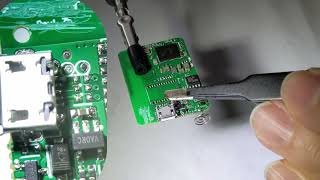
- Repair shops often replace broken connectors with a simple solder‑on female Mini‑USB socket.
If you’ve accidentally purchased some older equipment that only has a Mini‑USB port, you’ll need to understand its pinout to connect it to modern hardware safely.
Standard Mini USB Pinout Diagram
The Mini‑USB Type‑B connector features five pins, numbered from 1 to 5. The layout is symmetrical, but the pin numbers are defined from the front (the side with the “USB” logo) when the cable is facing you.
- VBUS (+5 V) – Supplies power from the host to the peripheral.
- D‑ (Data‑) – Carries the negative data signal.
- D+ (Data+) – Carries the positive data signal.
- ID (OTG) – Used for On‑The‑Go (OTG) mode; shorted to ground on host devices.
- GND (Ground) – Completes the circuit.
When you look at a Mini‑USB cable, the red wire is typically VBUS, the white and green wires are D‑ and D+ respectively, the black wire is GND, and a fifth wire (often not present in simple cables) carries the ID signal.
How to Identify the Pins on a Physical Connector
To verify the pinout without a diagram, follow these steps:
- Insert the Mini‑USB plug into a socket with the logo facing up.
- Use a multimeter set to continuity mode.
- Probe each metal contact from left to right while referencing the standard pin numbers above.
This method is especially useful if you repair a solder a female Mini‑USB socket onto a PCB. Checking continuity ensures that each pin is correctly connected before powering the device.
Common Pinout Variations and Exceptions
Although the five‑pin layout is standard, a few variations exist:
- Some Mini‑USB cables omit the ID pin, especially those intended only for charging.
- In certain proprietary devices, the ID pin may be repurposed for a custom function, but this is rare.
- Older devices sometimes